
Answers your organization can stand behind.
Grounded in your own documents with the sources shown, checked against your rules, and drafts that wait for your team's approval.
Ask. Process. Comply. Act.
One copilot over the documents, tickets and policies your organization already has — with a person in the loop wherever it matters.
Answers from your own documents, with the sources shown.
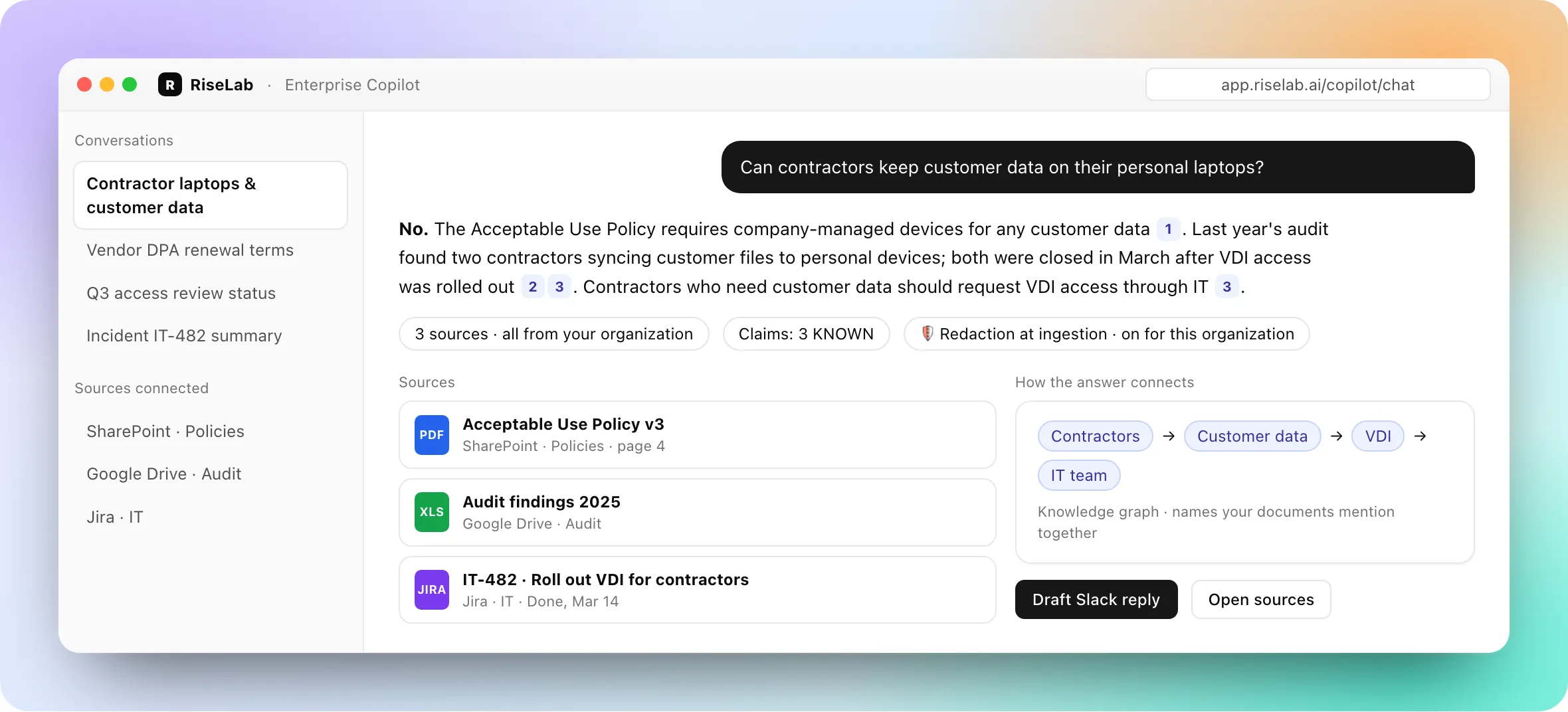
Connect SharePoint and Google Drive. Copilot answers from what your organization has written and lists the documents and passages each answer drew on. When nothing in your documents supports an answer, the answer is marked as having no source.
- •Each citation shows a preview of the passage, with the page for synced PDFs and a link to open synced files
- •Each factual sentence is compared with its sources by word overlap and tagged KNOWN, INFERRED or UNKNOWN
- •Once you build one, a knowledge graph links the people, organizations, products and technologies your documents name
- •Admins can turn on redaction of sensitive data when files are uploaded or synced
Pull the fields you need — and catch what breaks your rules.
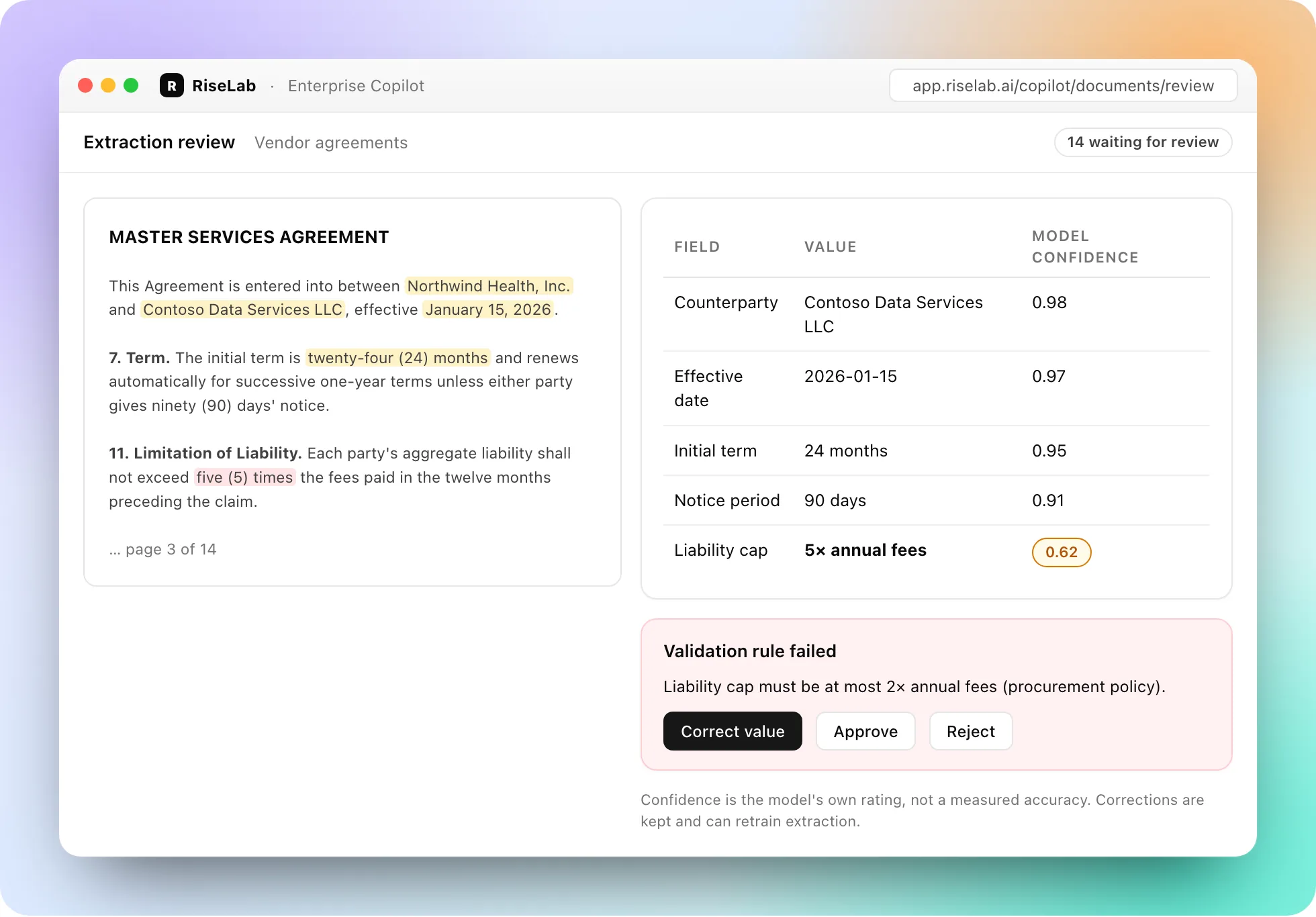
With the Document Intelligence module, extract fields from contracts, invoices and forms, check them against validation rules your team writes, and send documents that fail a rule or miss a required field to a person.
- •The model's own confidence rating on each extracted field — not a measured accuracy
- •Validation rules (required, pattern, range, allowed values, cross-field, arithmetic); a failure names the field, the rule and your message
- •Corrections are kept, used in extraction straight away, and can retrain extraction for your documents
Screen email and content against your rules.
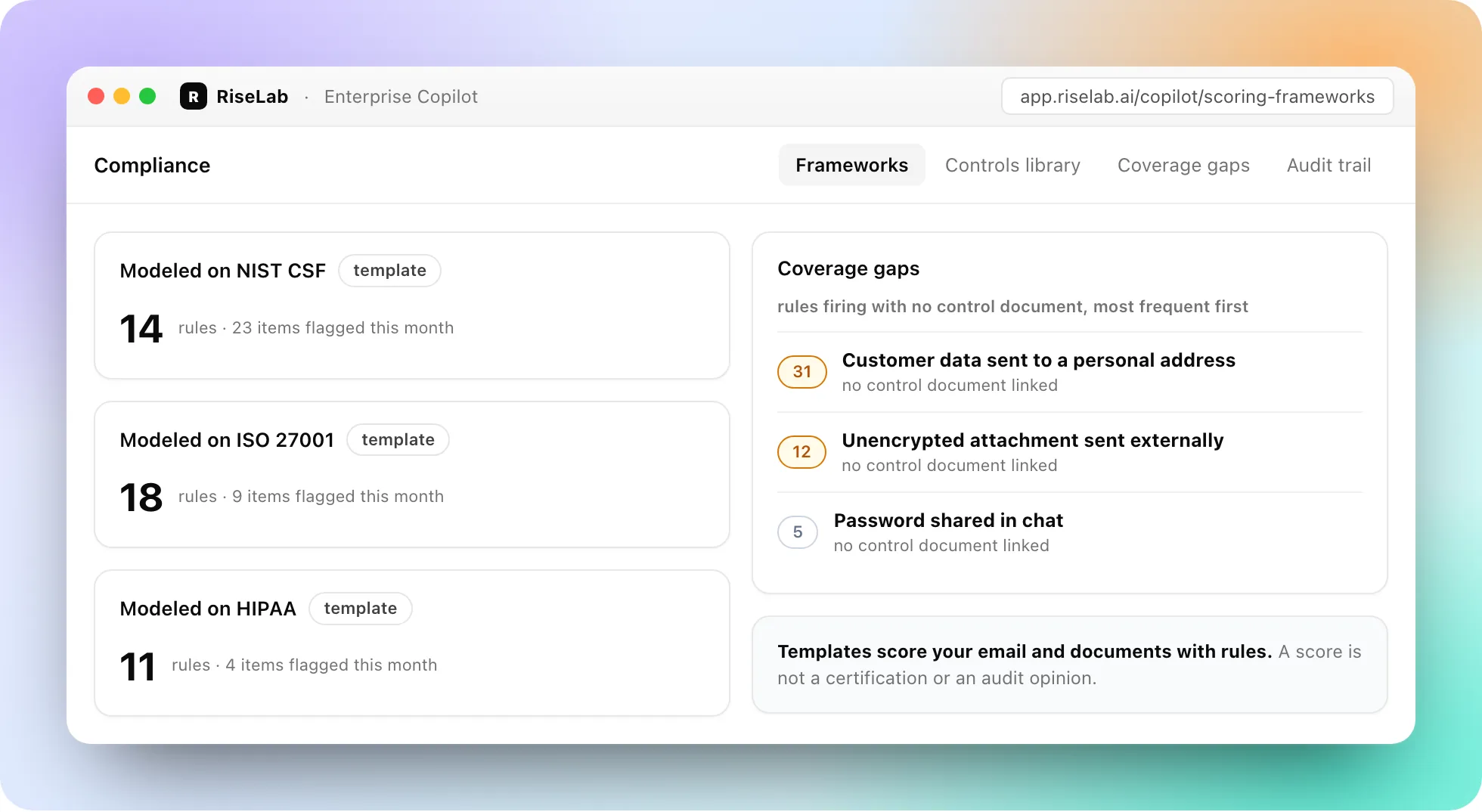
With the Compliance module, risk-scoring templates modeled on common frameworks score emails and documents with your keyword and pattern rules, and flagged items go to an escalation queue.
- •Templates modeled on NIST CSF, ISO 27001, HIPAA, FAIR, contract and audit review
- •Coverage gaps: the screening rules that keep firing with no control document behind them, most frequent first
- •Reports in plain English on your screened email and content: ask, save and schedule
Drafts in Jira, Zendesk, Slack and email — waiting for a person.
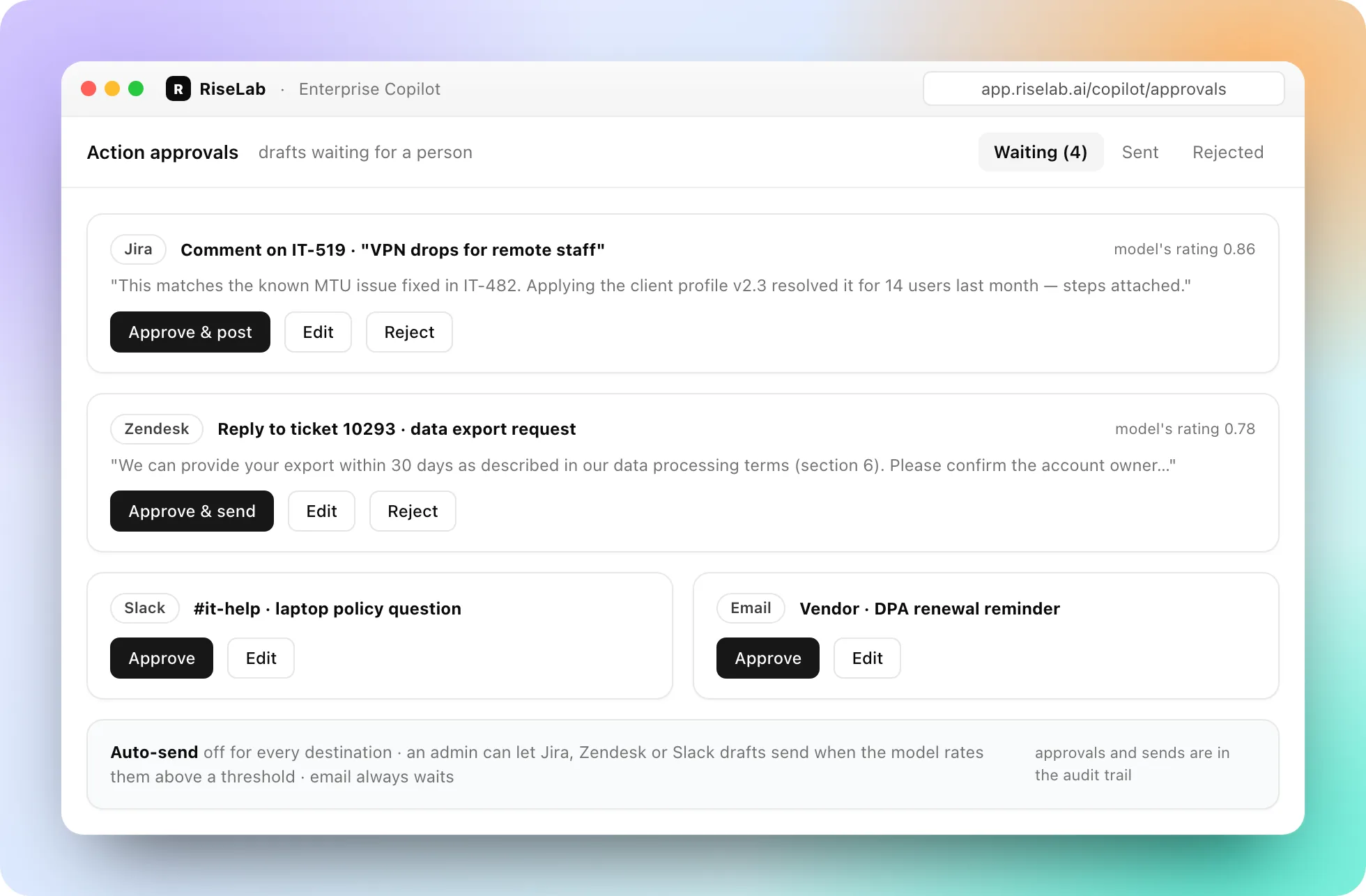
Copilot drafts the reply or the ticket update; your team approves, edits or rejects it. Drafts wait for a person by default. An admin can let Jira, Zendesk or Slack drafts send on their own when the drafting model rates its draft above a threshold you set; email drafts always wait. The rating is the model's own, not a measured accuracy.
- •One approval queue across destinations
- •Approvals, sends, bulk actions and reversals logged with who and when
- •Each draft keeps who approved it — or the auto-send rule — and when
How it works
Your sources stay connected; people handle the edge cases and approve actions unless an admin lets a destination send on its own.
Your sources, your organization
SharePoint and Google Drive documents synced into your own knowledge base; Jira, Zendesk, Slack and email connected for drafts.
Grounded answers
Answers list the documents they came from, or are marked as having no source.
People on the edge cases
Documents that fail a rule or miss a required field go to a review queue.
Approved actions by default
Drafts wait for a person unless an admin allows a destination to send on its own.
What we won't do
An enterprise copilot is only useful if people can trust it. Here is where ours draws the line.
Send on its own by default
Drafts wait for a person. An admin can allow Jira, Zendesk or Slack drafts above a threshold to send on their own; email drafts always wait.
Hide where an answer came from
Answers list their sources and tag each factual sentence KNOWN, INFERRED or UNKNOWN; an answer with no source is marked so.
Call a score a certification
Framework templates score your email and documents against rules. They are not an audit opinion.
Hide what it did
Approvals, sends and reversals are in the audit trail with who and when; conversations are kept in Sessions.
Built on the RiseLab platform
The same platform RiseLab uses to fine-tune and run AI on a customer's own data.
Models tuned to your documents
Fine-tune classification and extraction models on your own data with LoRA, including the corrections your team makes in review.
Permissions by role
Every feature is controlled by role-based access, and capabilities are switched on per organization.
Audit trail
Approvals, sends, bulk actions and reversals are logged with who and when.
Book 15 minutes on your documents
Bring a policy question your team gets every week, or a stack of contracts. We will show the answer with its sources, the extraction review and the approval queue on your material.
Prefer email? Tell us what you need and we will propose a time.